
One Postgres, Many Projects: Per-Project Database Isolation
- Published on
- Reading time
- 10 mins read
On this page
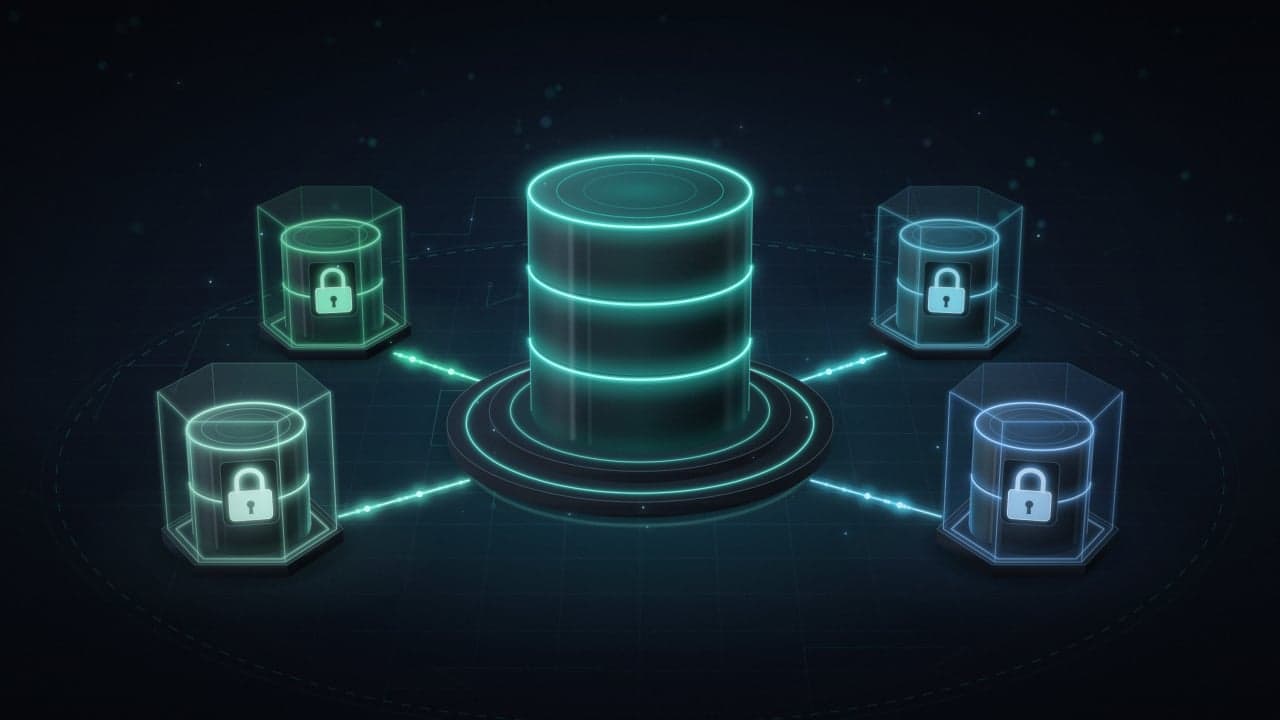
Earlier this month I settled on a simple layout for my side projects' data: one PostgreSQL 18 server, running in a shared common project on my Coolify server, with a separate database for every project instead of one database they all share. The apps reach it over Coolify's shared Docker network, coolify, by container name.
But a separate database alone isn't isolation. At first the server had exactly one login role, postgres, which is a superuser, and the apps connected with it. In the words of the PostgreSQL docs, a superuser "bypasses all permission checks, except the right to log in." A leaked connection string from any app would have opened every project's database, not just its own.
Separate databases without separate roles are folders, not walls. Building the walls takes four statements per project.
Why one server instead of one Postgres per app
On a single VPS, the alternative is a Postgres container per app. That multiplies everything with a fixed cost: each instance brings its own shared_buffers (128 MB by default), its own background processes, its own backups and its own upgrade path. One server means one thing to back up, one thing to monitor and one major version to keep current.
Docker network "coolify"
│
├── common (Coolify project)
│   ├── postgres-internal   PostgreSQL 18, one database per project
│   └── drizzle-gateway     admin UI, reaches Postgres by container name
│
├── JSONShare (Next.js)     own database, own role
├── Bun service             own database, own role
└── ...
SSL is off on this internal PostgreSQL, since the traffic stays on the private Docker network.
The threat model
The question to answer: if one app leaks its credentials or gets compromised (an injection bug, a bad dependency, a stray .env file), what else can an attacker read?
It should be that app's data and nothing else: not another project's rows, not even its table names.
The defaults you're up against
- PUBLIC can connect to every new database.
PUBLICis an implicit group that contains every role, including roles created later. Every new database grants itCONNECTandTEMPORARY. The manual says as much: out of the box, every user can connect to every database. - Templates don't carry grants.
CREATE DATABASEdoesn't copy database-level permissions from its template, so you can't revoke once ontemplate1and be done. Every new database starts open. - Superusers skip all of it. Everything below is about ordinary roles.
The pattern: four statements per project
The role and the database share a name, one pair per project:
CREATE ROLE app_a LOGIN PASSWORD '<strong random password>';
CREATE DATABASE app_a OWNER app_a;
REVOKE CONNECT ON DATABASE app_a FROM PUBLIC;
GRANT CONNECT ON DATABASE app_a TO app_a;
Run them as the superuser, outside a transaction: CREATE DATABASE refuses to run inside one (ERROR: CREATE DATABASE cannot run inside a transaction block), which bites if a migration tool or psql -1 wraps your script.
CREATE ROLE
Apart from LOGIN and a password, the role gets nothing. Everything else defaults to the safe side: NOSUPERUSER, NOCREATEDB, NOCREATEROLE, NOREPLICATION, NOBYPASSRLS. The password is stored as a SCRAM-SHA-256 hash, the default since PostgreSQL 14; PostgreSQL 18 deprecates MD5 passwords and warns if you set one.
Two things about the password itself. A literal password in CREATE ROLE reaches the server in cleartext and can end up in psql's history or the server log. The alternative is to create the role without one and run psql's \password app_a, which prompts for it and sends only the hashed form. And if the password will live in a connection URL, generate it as hex (openssl rand -hex 32): base64 output can contain /, which breaks URL parsing unless you percent-encode it.
CREATE DATABASE ... OWNER
Since PostgreSQL 15, PUBLIC can no longer create objects in the public schema of new databases, and that schema belongs to pg_database_owner, a built-in role whose only, implicit member is the current database's owner. So the app role owns its database and, through that built-in role, the public schema inside it. Its migrations can create tables without a single extra GRANT.
REVOKE CONNECT ... FROM PUBLIC
This line is the actual wall. Afterwards the database's ACL looks like this:
SELECT datname, datacl FROM pg_database WHERE datname = 'app_a';
 datname |           datacl
---------+----------------------------
 app_a   | {=T/app_a,app_a=CTc/app_a}
The empty name before the first = is PUBLIC, left with only T (TEMPORARY). The owner has C (CREATE), T and c (CONNECT). TEMPORARY is useless without CONNECT, but if you want it gone as well, REVOKE ALL ON DATABASE app_a FROM PUBLIC removes both.
GRANT CONNECT ... TO
Strictly speaking, this one is a no-op. An owner already holds every privilege on its database, and the ACL above is identical before and after it. It still earns its place as documentation: reading the script, you can see who is supposed to connect.
In practice, JSONShare, a Next.js app, has its own database and its own role, and connects with a single DATABASE_URL over the internal network:
DATABASE_URL=postgresql://<role>:<password>@postgres-internal:5432/<database>
Its data is one table, documents(id uuid primary key, body jsonb, created_at, updated_at). A small Bun service I moved off Supabase got its own database and role too. That move came with a TLS surprise of its own, which I wrote up separately.
Prove it: connect as A to B
Don't trust the pattern until you've watched it fail. Use app_a's credentials against app_b's database:
psql "postgresql://app_a:<password>@postgres-internal:5432/app_b"
psql: error: connection to server at "postgres-internal" (...), port 5432 failed: FATAL:  permission denied for database "app_b"
DETAIL:  User does not have CONNECT privilege.
Note that the password was accepted: a wrong one fails earlier, with password authentication failed for user "app_a". This rejection is the database-level privilege check, exactly the layer the REVOKE controls.
To check every role against every database at once, run this as the superuser:
SELECT r.rolname, d.datname
FROM pg_roles r
CROSS JOIN pg_database d
WHERE r.rolcanlogin
  AND NOT r.rolsuper
  AND d.datallowconn
  AND has_database_privilege(r.oid, d.oid, 'CONNECT')
ORDER BY 1, 2;
Each app role should appear next to its own database, plus postgres and template1, which still carry PUBLIC's default CONNECT and shouldn't hold any app data. Any other database that shows up next to every role was created without the REVOKE.
What a role can still see
Revoking CONNECT hides a database's contents, not its existence. A few things are cluster-wide and visible from any database. Connected to app_a as app_a:
| Query | What comes back |
|---|---|
SELECT datname FROM pg_database | Every database name on the server |
SELECT rolname, rolsuper FROM pg_roles | Every role and its attributes; rolpassword always reads ******** |
SELECT usename, datname, query FROM pg_stat_activity | Other sessions' role and database; query shows <insufficient privilege> |
SELECT pg_database_size('app_b') | ERROR: permission denied for database app_b |
Everything inside app_b stays hidden: tables, columns, functions. Those catalogs live inside each database, and reading them takes a connection app_a can no longer open. The practical consequence: every role on the server can see database and role names, so keep anything sensitive out of them.
Superusers and older databases
The REVOKE works on existing databases too, and I ran it on an older project's database that predates this pattern. Two limits apply.
It doesn't restrict superusers: PostgreSQL's connection check skips the ACL entirely for them. Hence the rule that makes all of this meaningful: no application connects as a superuser.
It only affects new connections. Sessions that were already open stay open until they disconnect, so restart the app or end them with pg_terminate_backend().
Retrofitting an older database is therefore two jobs, not one: revoke CONNECT from PUBLIC, and move whatever connects to it onto its own role that owns its objects.
Beyond the four statements
Cap connections per role
All databases on the server share one max_connections budget (100 by default). One app with a leaking pool can exhaust it for everyone:
ALTER ROLE app_a CONNECTION LIMIT 20;
Size it to the app's pool plus some headroom. Past the limit, new connections fail with too many connections for role "app_a". The limit is approximate and never applies to superusers.
Set timeouts per role
ALTER ROLE app_a SET statement_timeout = '30s';
ALTER ROLE app_a SET idle_in_transaction_session_timeout = '60s';
These become session defaults at login. The app can still override them with SET, so treat them as guardrails against runaway queries and forgotten transactions, not hard limits.
Back up per database, plus the roles
pg_dump -Fc -d app_a -f app_a.dump
pg_dumpall --roles-only -f roles.sql
pg_dump covers one database. Roles are cluster-wide, so they need pg_dumpall, and that file contains password hashes: treat it like a secret, or add --no-role-passwords. One trap: the database-level REVOKE comes back only if you restore with pg_restore --create. Restore into a database you created by hand and you have to run the REVOKE again.
A second wall in pg_hba.conf
By default, the official Docker image ends its pg_hba.conf with host all all all scram-sha-256, so at the authentication layer any role may ask for any database and only the password is checked. Since the pattern names each database after its role, the sameuser keyword can enforce the same boundary there:
# TYPE  DATABASE  USER      ADDRESS  METHOD
host    all       postgres  all      scram-sha-256
host    sameuser  all       all      scram-sha-256
The first matching line wins and there's no fall-through, so these lines replace the catch-all, with the admin line first. After SELECT pg_reload_conf();, a role asking for another database is refused with no pg_hba.conf entry before its password is even checked.
Why not one database with a schema per app?
The PostgreSQL docs themselves suggest separate databases for unrelated projects and schemas for projects meant to share. Schemas also isolate less: inside one database the catalogs are shared, so any role can query pg_class and pg_attribute to list every other schema's tables and columns, even while reading the data fails with permission denied for schema. Add per-schema grants, search_path and ORMs that assume public, and database-per-app is simply less to get right.
What this does not protect against
- Noisy neighbors. One server means shared CPU, memory, disk I/O and connection slots; a runaway query in one app slows the rest. Limits and timeouts soften this but don't remove it.
- Shared fate. A major-version upgrade, a restart or a full disk hits every project at once.
- The superuser and the host. Whoever holds the superuser password, or root on the host, can read everything. So can any tool that can browse every database; protect it just as carefully.
- Plaintext on the internal network. SCRAM authentication keeps the password itself off the wire, but with SSL off, queries and results travel unencrypted. The isolation assumes the Docker network boundary holds.
Takeaways
- One role per project, with
LOGINand a password, nothing else: no superuser, noCREATEDB, noCREATEROLE. - One database per project, owned by that role. On PostgreSQL 15+ that also hands it the
publicschema. -
REVOKE CONNECTfromPUBLICon every new database. The template won't do it for you. - Prove it: role A against database B must fail with
permission denied for database, and the role-by-database matrix should hold no surprises. - No application connects as a superuser. Retrofitting means a REVOKE plus a dedicated role.
- Consider connection limits, timeouts, per-database dumps and
sameuserinpg_hba.conf. - Assume every role on the server can see database and role names.
One server, many databases, one role each: cheap to run, and a leaked app credential stays a one-project problem.